


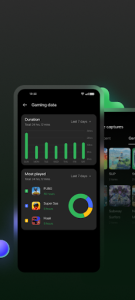
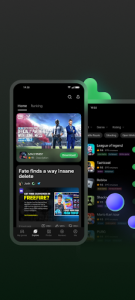
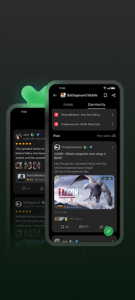
Game Space transforms your mobile device into a dedicated gaming console by optimizing hardware resources for a smoother experience. This utility creates a distraction-free environment where performance is prioritized, ensuring that system resources are allocated specifically to your active titles. By consolidating all installed games into a single, organized hub, it streamlines the way users interact with their mobile library while providing real-time system monitoring.
Enhanced Performance Optimization
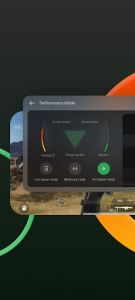
This tool intelligently manages CPU and GPU frequencies to deliver the highest possible frame rates during intense gameplay sessions. It monitors thermal levels and adjusts processing power to prevent overheating while maintaining a stable connection to the server. Players can choose between different power modes, such as a competitive mode for maximum output or a balanced mode to preserve battery life during casual sessions.
Advanced Notification Management
Staying focused is crucial during competitive matches, and this solution provides robust tools to silence intrusive interruptions. Users can block incoming calls, hide floating banners, and disable gesture-based navigation to prevent accidental exits from the game. By filtering out non-essential alerts, the platform ensures that your field of view remains clear and your concentration stays entirely on the digital battlefield.
Integrated Gaming Dashboard
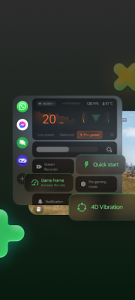
Accessing essential system settings becomes effortless with a convenient overlay that appears with a simple swipe from the screen edge. This feature allows users to check battery levels, monitor signal strength, and even open messaging apps in small floating windows without closing the current game. Game Space enhances multitasking by letting you reply to urgent texts or adjust brightness settings instantly while the action continues in the background.
Immersive Visual Enhancements
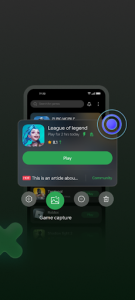
The experience goes beyond raw speed by offering visual filters and display adjustments that make graphics appear sharper and more vibrant. It can automatically boost contrast and saturation in dark areas of the screen, providing a competitive advantage in titles where spotting enemies is vital. This digital environment also supports screen recording and screenshot shortcuts, making it easy to capture and share high-quality highlights with friends or social media followers.


















Write a review